
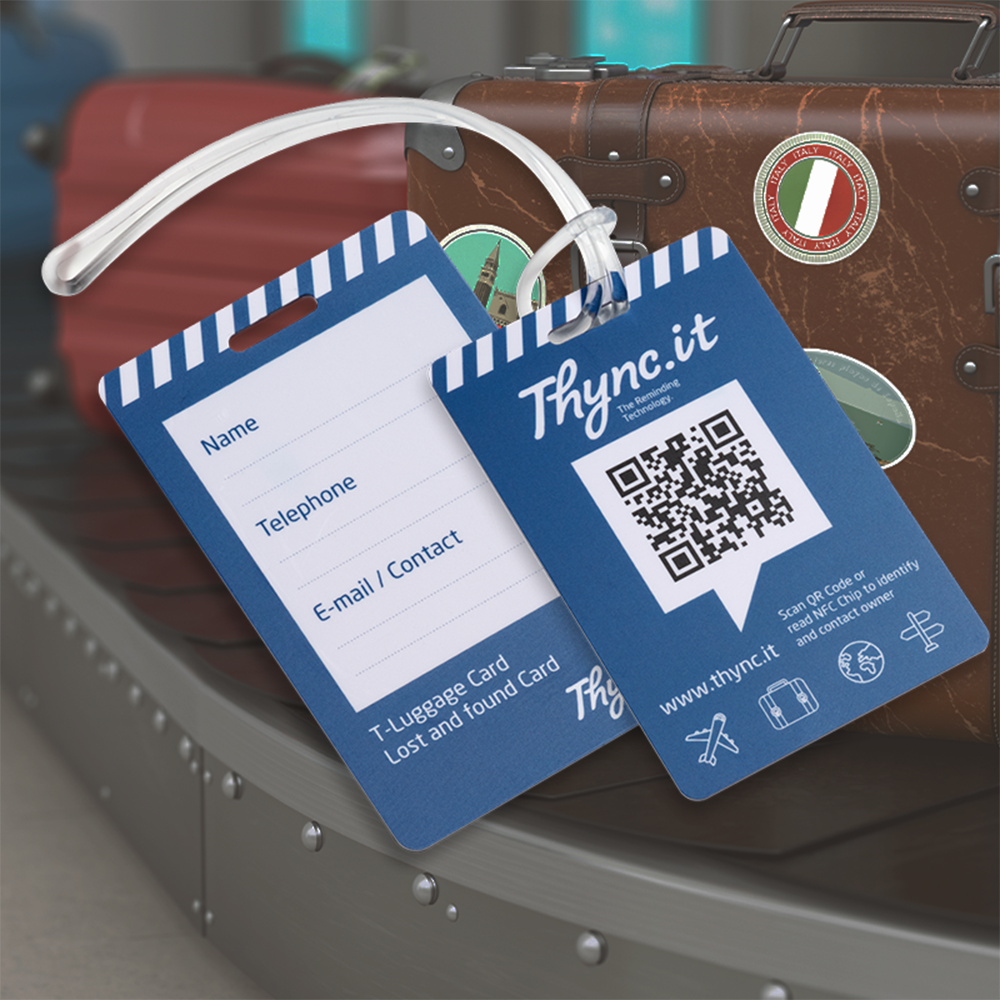
Luggage Tag with QR Code & NFC | Digital Luggage ID | DynaTag
search
  • Luggage Tag with QR Code & NFC | Digital Luggage ID | DynaTag
  • Luggage Tag with QR Code & NFC | Digital Luggage ID | DynaTag
  • Luggage Tag with QR Code & NFC | Digital Luggage ID | DynaTag
  • Luggage Tag with QR Code & NFC | Digital Luggage ID | DynaTag
  • Luggage Tag with QR Code & NFC | Digital Luggage ID | DynaTag

Free shipping from CHF 50.–

We cover packaging and delivery costs for orders over CHF 50.–.

Personal customer support

We answer your questions personally – no automated chatbots.

30-day return policy

You receive a 30-day return or exchange guarantee.

Swiss data platform

Your data is stored securely and reliably in Switzerland.

How it works

Ready in 3 simple steps

Choose and buy your product

Select the right product, colour and variant.

Scan and activate the QR code

After receiving it, scan the QR code and activate your digital DynaTag profile.

Manage your data in the WebApp

Configure contact and emergency data and update it anytime.
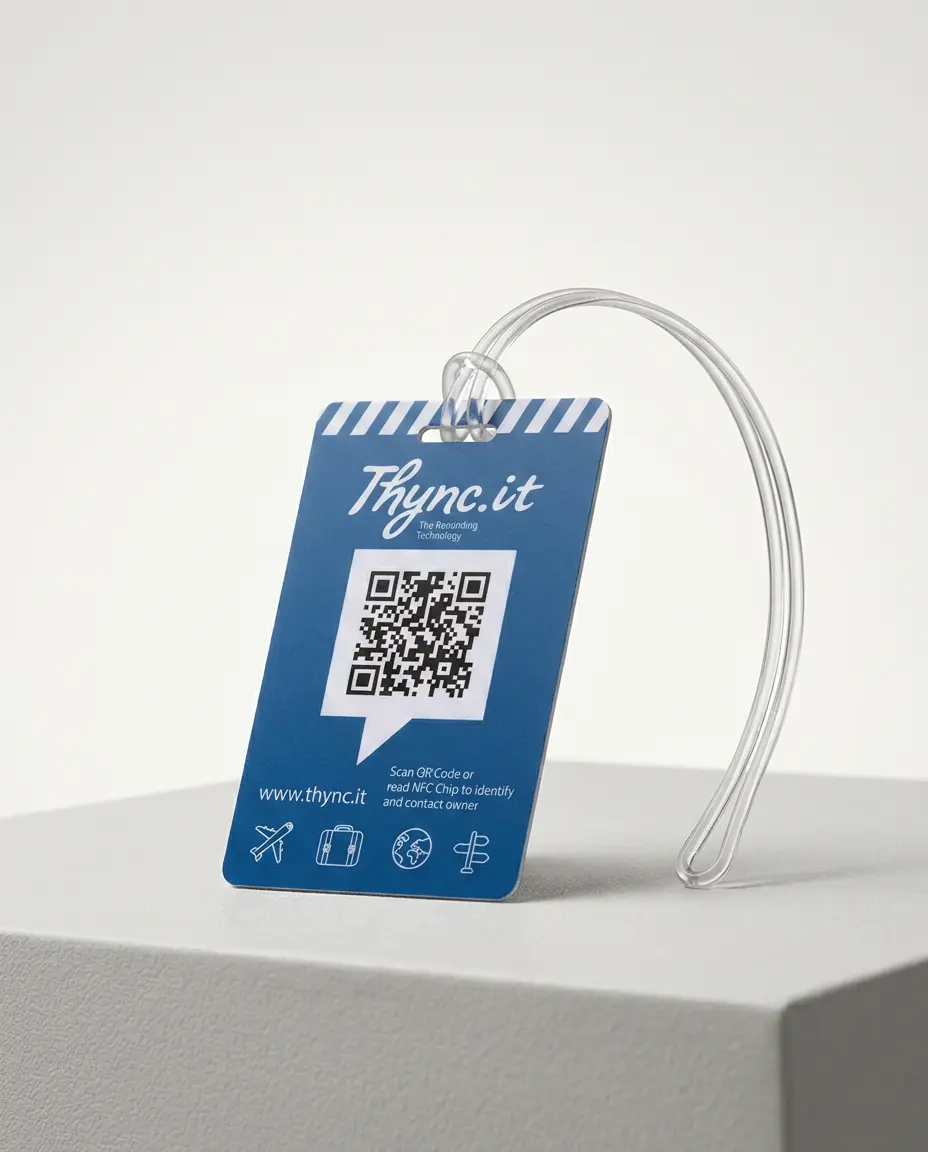
Luggage Tag with QR Code and NFC – Digital Luggage ID with Swiss Data Platform

CHF 17.11
Free shipping from CHF 50.– Shipping from Swiss warehouse One-time payment No subscription No app required
Package Size: Single Product
Quantity
Verfügbar

Available payment methods

Premium luggage tag with QR code and integrated NFC chip for the quick identification and secure return of suitcases, bags and travel luggage. Thanks to dual identification using QR code and NFC, your luggage information remains accessible even if the QR code is damaged or dirty. Simply scan the QR code or hold a smartphone close to the NFC chip, make contact and arrange the return – no app required.
Ideal for frequent travellers, business trips and family holidays.

  • QR code & NFC: Two identification methods for maximum reliability while travelling.
  • Digital luggage ID: Manage contact details, delivery address and luggage information online at any time.
  • Anonymous contact: Finders can contact you without seeing your personal details.
  • Optional location sharing: Finders can share the location where your luggage was found directly with you.
  • Swiss data platform: Your luggage information is securely stored and managed in Switzerland.
  • No app required: The QR code works worldwide with any smartphone and NFC with compatible devices – with no monthly fees.
Double protection for your luggage.
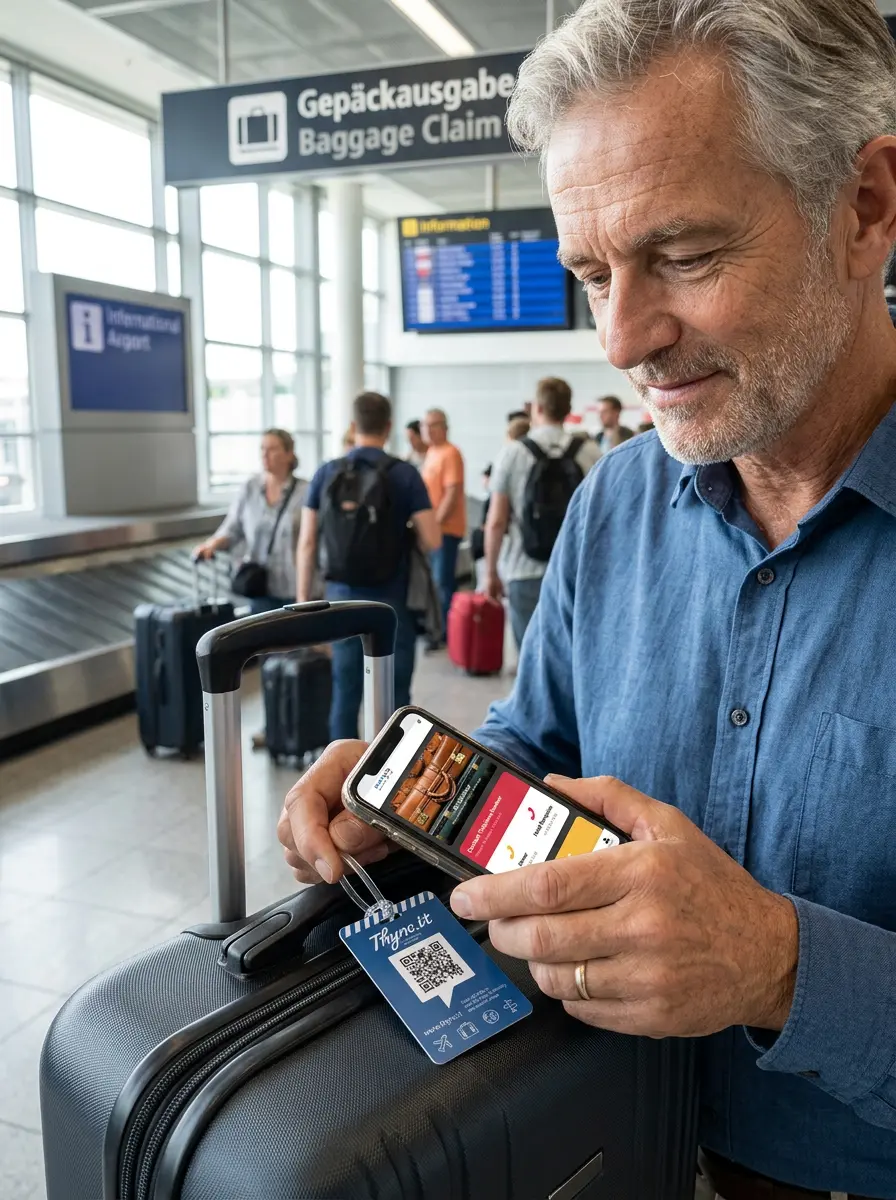
The premium DynaTag luggage tag combines QR code and NFC for particularly reliable identification, helping lost luggage to be returned more quickly anywhere in the world.
Luggage tag with QR code & NFC · Digital luggage ID

Two ways to access your luggage information – via QR code and NFC

The robust luggage tag connects suitcases, bags or backpacks to a personal digital luggage ID. Finders, hotels, delivery services and lost-and-found offices can open the shared information directly in their smartphone browser.

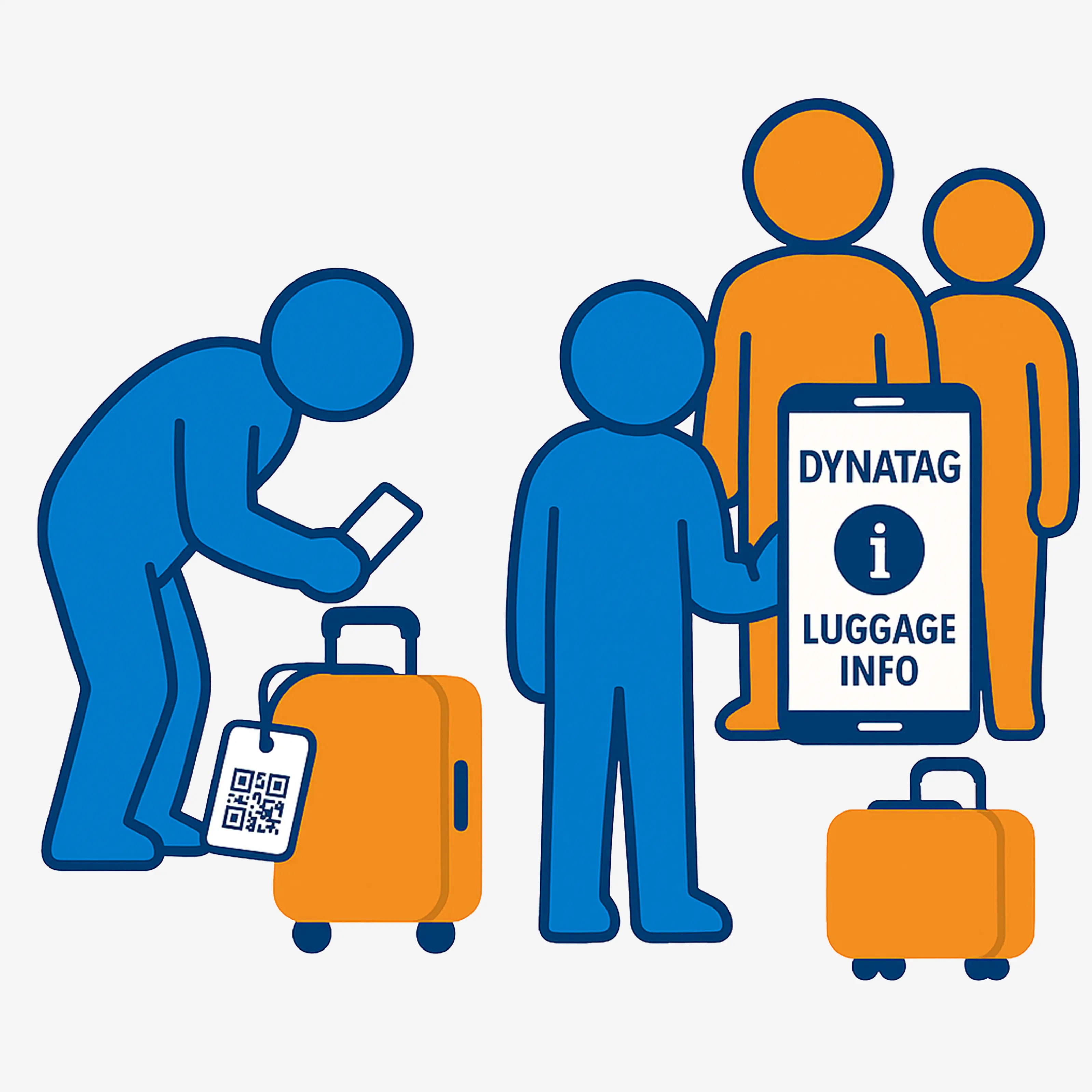
Access is available either by scanning the QR code or contactlessly via the integrated NFC chip. Both methods lead to the same digital luggage page – without installing an app.

Contact details, hotel or delivery address and the preferred handover location can be updated remotely at any time, even if your luggage is already in transit or has been lost.

  • QR code and NFC lead to the same digital luggage ID
  • Contact details can be updated at any time via smartphone
  • Delivery address or handover location can be changed remotely
  • Voluntary location sharing by the finder
  • Pocket Card for access without the luggage tag
  • Secure data storage on the Swiss DynaTag platform
Luggage tag with QR code and NFC for digital luggage handover
Digital luggage ID for suitcases, bags and travel
Two access methods combined

The key features at a glance

QR code and NFC provide easy access to up-to-date luggage and contact information.

QR code and NFC

Finders can open the same digital luggage page by scanning it with their camera or contactlessly using an NFC-enabled smartphone.

Remotely updatable

Contact details and hotel, delivery or handover addresses can be changed at any time via smartphone, tablet or PC.

Contact and voluntary location sharing

Finders can contact you and voluntarily share their own location with their explicit consent.

Swiss data platform

The shared information is stored securely in Switzerland. The tag is not a tracker and does not record location data in the background.

For travelling

What type of luggage is the QR/NFC tag suitable for?

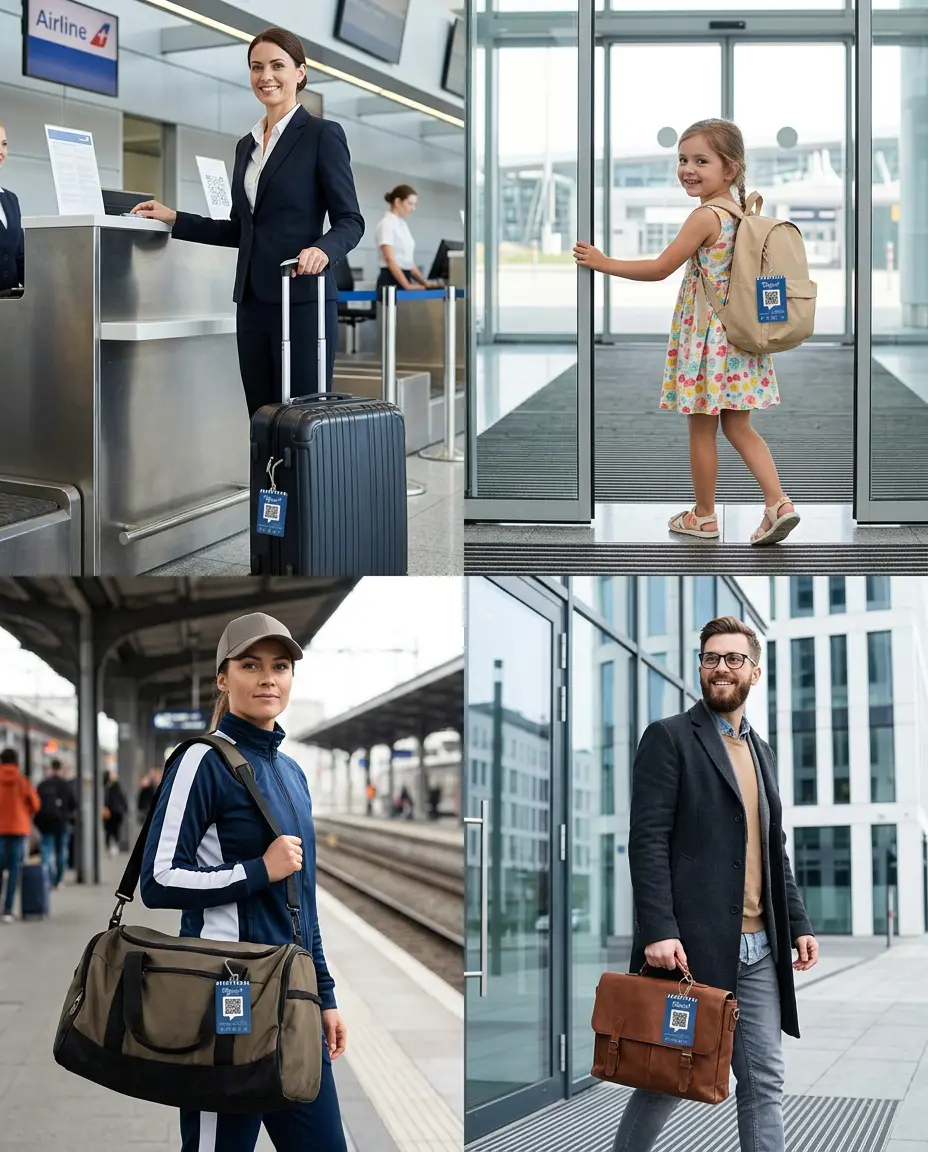
The digital luggage ID is suitable for private travel, families, school, sports and business use.

Holidays and air travel

Identify suitcases, hand luggage and travel bags more quickly.

Children and school

Label children’s suitcases, backpacks, school bags and care bags.

Sports and equipment

Identify sports bags, club equipment, transport boxes and mobile equipment.

Business and multi-destination trips

Ideal for changing hotels, offices, destinations and longer stays.

QR and NFC luggage tag for holidays, children, sports and business travel
Additional access method

NFC chip for added reliability

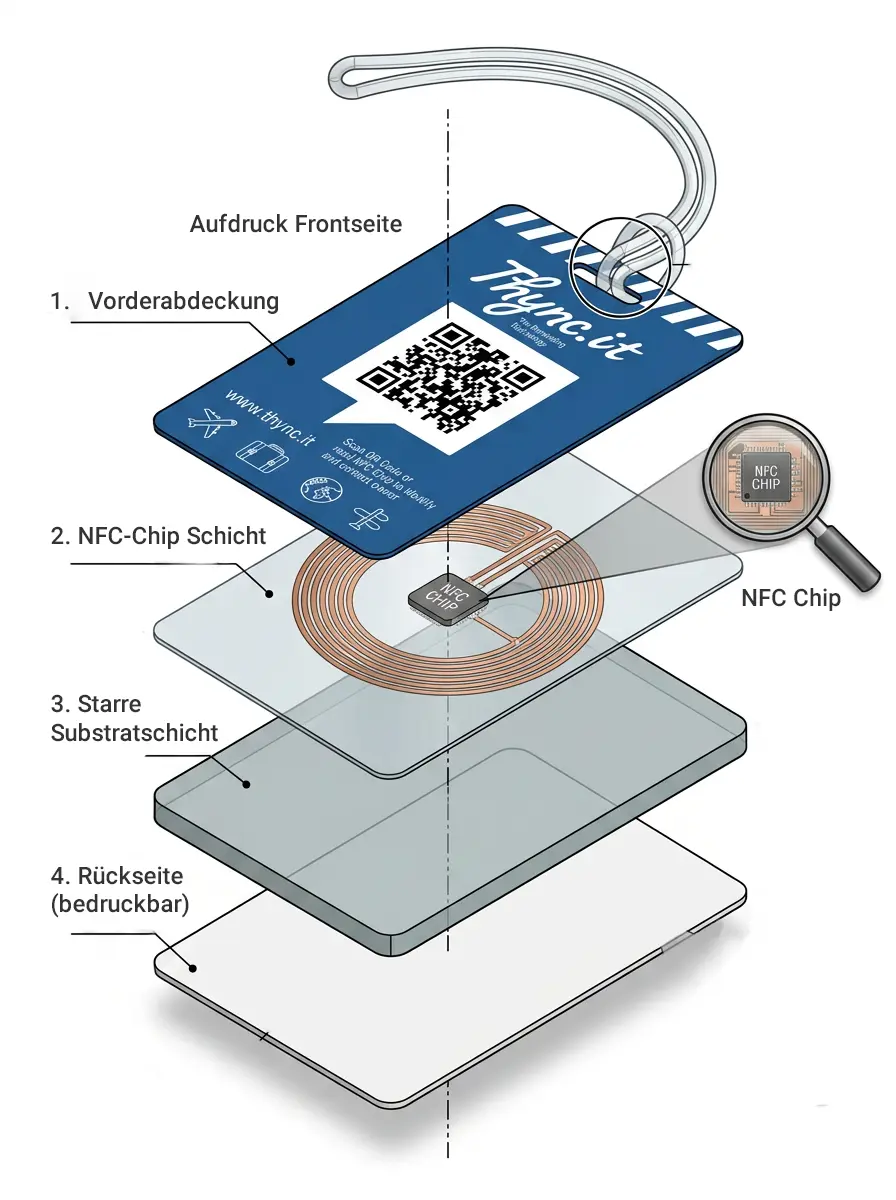
The integrated NFC chip complements the QR code. If the code is heavily soiled, scratched or difficult for the camera to read, an NFC-enabled smartphone can open the digital luggage page contactlessly.

Simply hold the smartphone close to the marked area of the tag. The device must support NFC and the NFC function must be enabled.

  • Contactless access to the digital luggage page
  • Additional access method if the QR code is damaged
  • Both methods display the same up-to-date information
  • No dedicated app required
  • No battery and no charging
NFC function of the luggage tag with QR code

Digital QR/NFC luggage tag comparison

The key differences compared with a conventionally labelled luggage tag.

FeatureDynaTag luggage tag
QR code and NFC
Conventional luggage tag
with static information
Contact detailsCan be updated online at any timePermanently entered
Delivery, hotel or holiday addressCan be changed remotely via smartphoneCan only be changed manually
AccessQR code and NFCPrinted text
Damaged QR codeNFC as an additional access methodNo alternative
Share locationOptional sharing by the finderNot possible
Photos and messagesDigital pinboardNot possible
Map viewHandover location in Google MapsNot available
Update informationSmartphone, tablet or PCA new tag is required
Data storageSwiss data platformNo digital storage
No app installation

Digital luggage ID directly in the browser

After scanning the QR code or reading the NFC chip, the DynaTag WebApp opens directly in the smartphone browser. Finders do not need an app or user account.

You decide what is visible

All content can be updated at any time through your user account. You decide which information finders are allowed to see.

  • Multiple telephone numbers and contact persons
  • Email, WhatsApp and other contact options
  • Preferred contact languages and personal notes
  • Hotel, holiday, delivery or handover address
  • Google Maps view of the preferred handover location

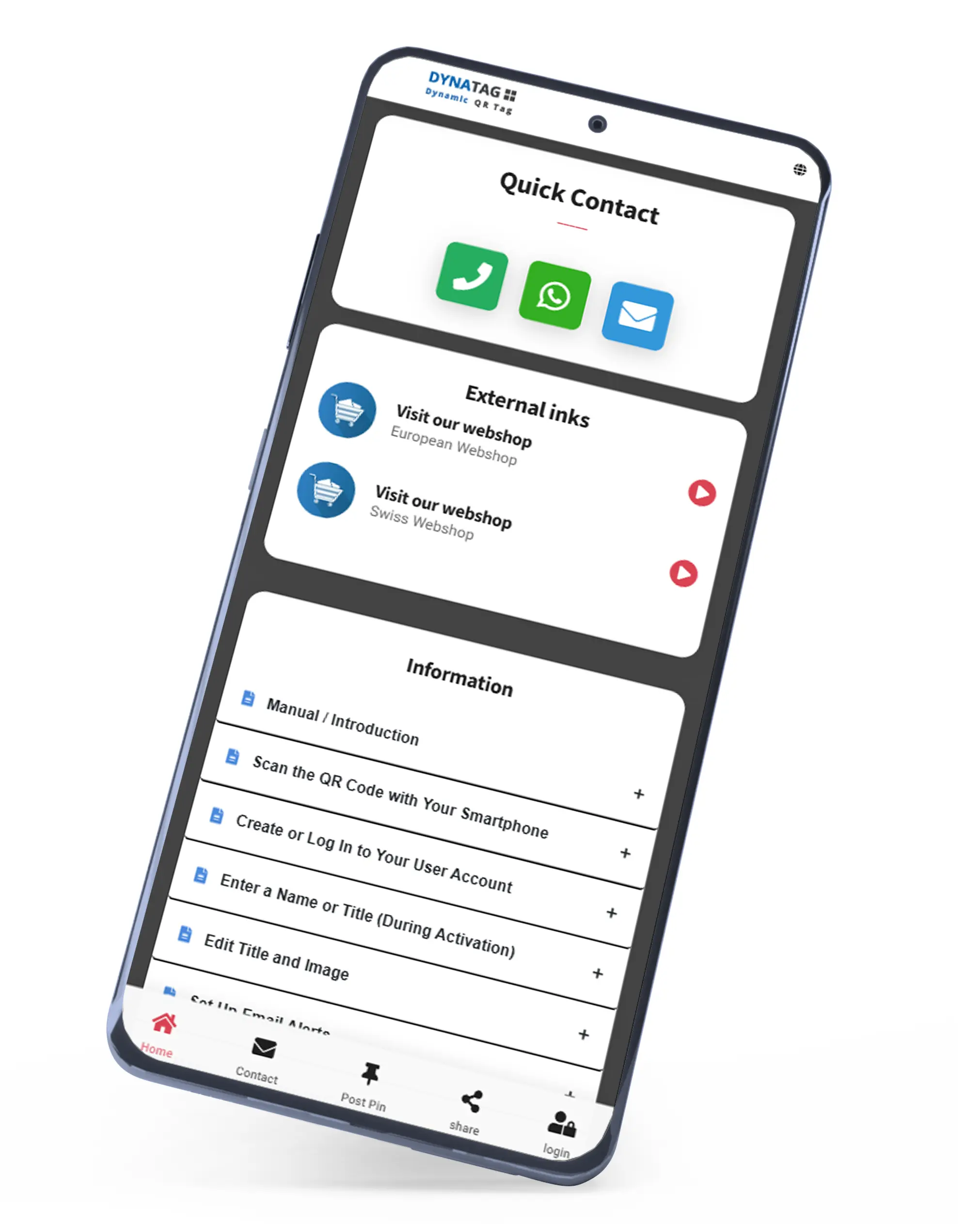
WebApp on a smartphone

DynaTag WebApp for the luggage tag with QR code and NFC

Try the QR/NFC luggage tag live

Scan the sample code or open it with one click. The NFC chip on the product leads to the same digital luggage page.

Sample code for the luggage tag with QR code and NFC

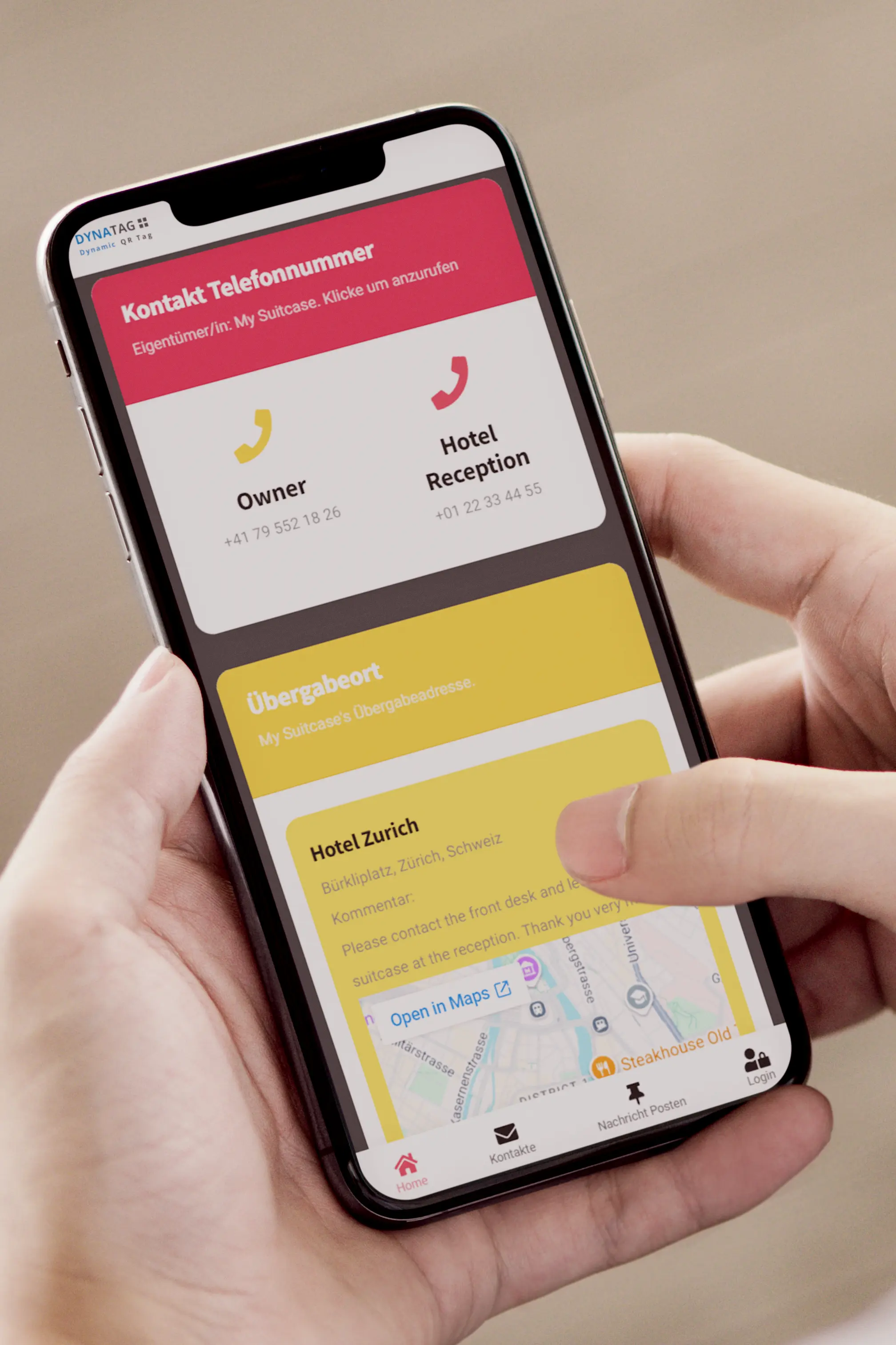
Digital luggage view for finders

Contact information, handover location, location option and messages are displayed clearly on mobile devices. Click the image to enlarge the view.

Digital luggage view with contact details, location option and messages
Easy handover location

Google Maps and convenient address entry

Google Places Autocomplete suggests hotels, accommodation, addresses or well-known places as you type. The preferred handover location can then be shown directly to the finder in Google Maps.

  • Find hotels, accommodation and addresses more quickly
  • Select places and businesses using Autocomplete
  • Display the handover address in Google Maps
  • Change the delivery address even after the luggage is lost
  • Helpful for hotels, delivery services and lost-and-found offices
Google Maps and delivery address in the digital luggage ID
For frequent travel

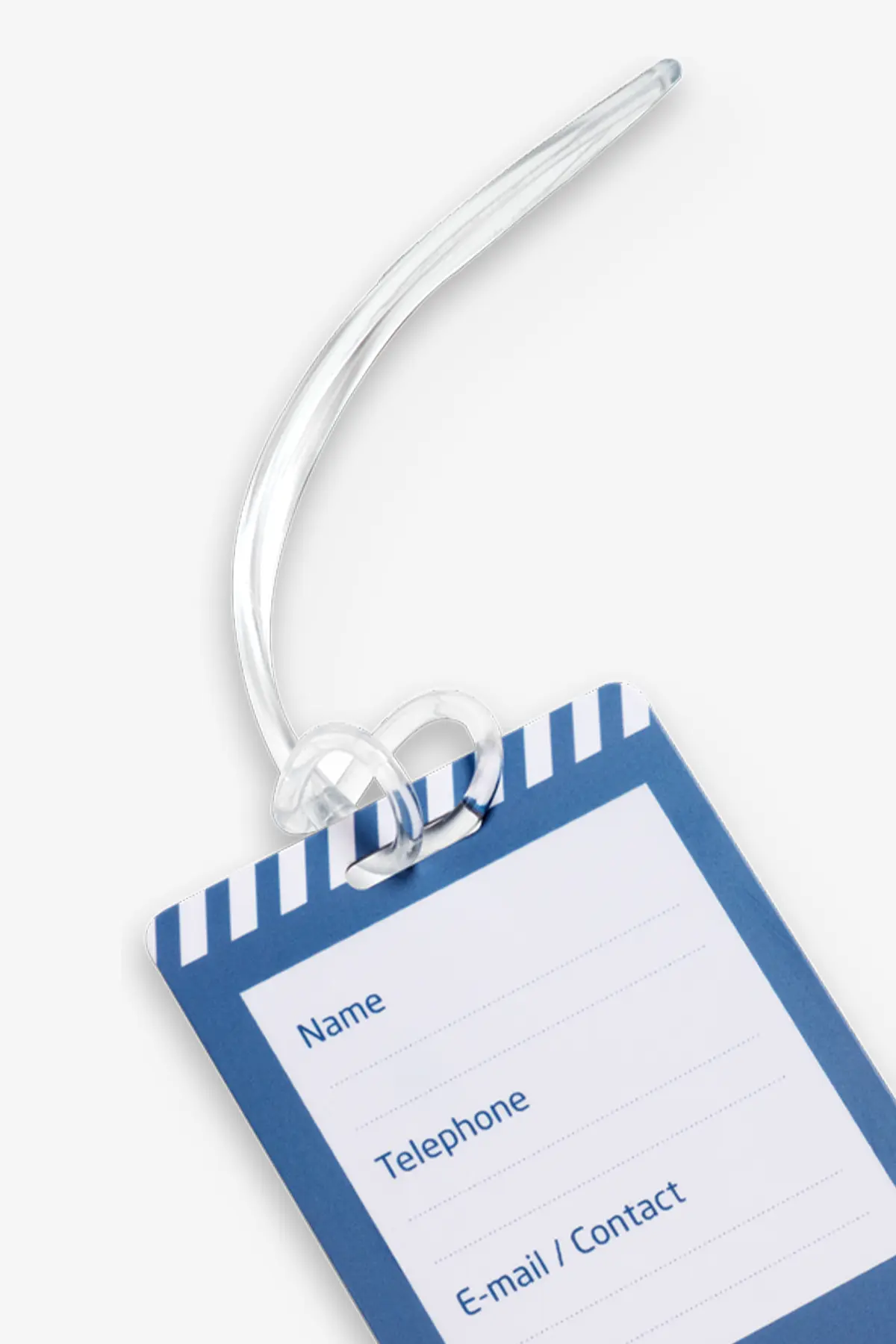
Robust tag with a sturdy plastic strap

The durable plastic strap makes it easy to attach the tag to suitcases, backpacks, bags, transport boxes or sports equipment.

The tag contains no battery and does not need to be charged. The QR code and NFC chip provide access to the digital luggage page.

  • For everyday use, holidays and business travel
  • Sturdy plastic strap for attachment
  • QR code and NFC chip combined
  • No battery, electronic maintenance or charging
  • Luggage information can be updated online at any time
Robust luggage tag with QR code, NFC and plastic strap

Pocket Card for remote access

With the Pocket Card in your wallet, you can access your digital luggage ID at any time without scanning the tag attached to your luggage.

  • Change contact details and addresses while travelling
  • Ideal when changing hotels or travelling to multiple destinations
  • Helpful if luggage is delayed or lost
  • Make changes via smartphone, tablet or PC
Instructions, care and replacement

Instructions and help

You can open the complete online instructions directly in the DynaTag WebApp. There you will find help with activation, managing your luggage information and using the QR code and NFC.

Online instructions for the luggage tag with QR code and NFC on a smartphone

Click to enlarge

Ready to use in four steps

Activate the tag, enter your luggage information and update it before every trip.

1. Activate the tag

Scan the QR code or use NFC, open the WebApp and connect the tag to your user account.

2. Enter contact details

Add telephone numbers, email addresses, contact persons and preferred contact languages.

3. Prepare for the return

Add a hotel, delivery or handover address and a recent photo of your luggage.

4. Keep information up to date

Check your contact details, addresses and luggage photo, and test access via QR code and NFC.

Optional quick access

Save the WebApp to your home screen

This gives you direct access to your user account without scanning the tag again or opening it via NFC.

Android

Open the WebApp in your browser, open the browser menu and select “Add to Home screen”.

Two access methods

How to use the QR code and NFC correctly

The digital luggage page can be opened by scanning the QR code or contactlessly via the integrated NFC chip. Both methods lead to the same up-to-date information.

  • Keep the QR code clearly visible and clean
  • Scan the QR code with the smartphone camera
  • Use a compatible smartphone for NFC
  • Activate NFC and hold the smartphone close to the marked area
  • Briefly test both access methods before every trip
Note: The tag is not a GPS tracker. Only finders can voluntarily share their own location with their explicit consent. An active internet connection is required for the digital luggage page.
Using the QR code and NFC on the digital luggage tag
Flexible while travelling

Keep your luggage information up to date during your trip

The hotel, delivery or handover address can be changed in the WebApp at any time, even if the luggage is no longer with you.

Google Places Autocomplete suggests suitable hotels, addresses and places as you type. The preferred handover location can be displayed directly in Google Maps.

  • Add up-to-date contact information and contact languages
  • Flexibly adjust the hotel, delivery or handover address
  • Save a recent luggage photo on the pinboard
  • Update information even after your luggage has been lost
Updating the delivery address of the QR and NFC luggage tag online
Reliable for a long time

Cleaning and care

Clean the tag when necessary using a soft, slightly damp cloth. Protect the QR code, NFC area and plastic strap from heavy abrasion and mechanical stress.

  • Do not fold, cut or bend excessively
  • Do not use aggressive cleaning agents or solvents
  • Do not clean in a washing machine
  • Keep the QR code clean and clearly legible
  • Test NFC access after heavy stress during transport
Cleaning and caring for the luggage tag with QR code and NFC
Your information is retained

Replacement in case of loss or damage

If the tag is lost or damaged, the QR code is unreadable or NFC access is no longer reliable, our customer service team will help you find the appropriate replacement solution.

Request a replacement product

Tell customer service whether the tag has been lost or damaged and whether the QR code or NFC is affected. We will explain the next steps.

Videos

The QR/NFC luggage tag in the video

A concise explanation of the digital luggage ID, QR code, NFC and flexible return options.

Luggage tag with QR code and NFC

An overview of the key features and use of the digital luggage tag with QR code, NFC and personal luggage ID.

Frequently asked questions

FAQ about the luggage tag with QR code and NFC

Answers about the digital luggage ID, NFC, notifications, location function and data security.

Why is a luggage tag with QR code and NFC useful?

The digital luggage tag helps identify and return lost suitcases, bags, backpacks or children’s luggage more quickly.

Contact details, contact languages, delivery address, hotel or preferred handover location can be updated online at any time – even after the luggage has been lost.

What advantage does the NFC chip offer?

The integrated NFC chip provides contactless access to the same digital luggage page as the QR code. Simply hold a compatible smartphone close to the marked area of the tag.

NFC provides an additional access method if the QR code is heavily scratched, dirty or difficult for the camera to read. The smartphone must support NFC and the function must be enabled.

What information can finders see?

You decide which information is visible after scanning the QR code or accessing it via NFC.

  • Multiple telephone numbers and contact persons
  • Email, WhatsApp and other contact options
  • Preferred contact languages and personal notes
  • Hotel, holiday, delivery or handover address
  • Google Maps view of the preferred handover location
  • Luggage photos and messages via the digital pinboard
Do finders need an app or user account?

No. The QR code is scanned with the smartphone camera; on compatible devices, the page can also be opened via NFC. The digital luggage page appears directly in the browser.

Finders need neither an app nor a user account. An active internet connection is required to access the digital information.

How will I be notified when the luggage page is accessed?

When the QR code is scanned or the digital luggage page is opened via NFC, the DynaTag platform sends an email notification to the address stored in your user account.

The notification confirms that the luggage page has been accessed. It does not automatically mean that the luggage has been found or already returned.

Is the luggage tag a GPS tracker?

No. The luggage tag contains neither GPS nor a battery and does not continuously record the location of the luggage.

A person who scans the QR code or uses NFC can only voluntarily share their own current location. This happens only through active use and with their explicit consent.

Can I change my luggage information later?

Yes. You can update contact details, contact languages, notes, luggage photos, delivery address and handover location at any time through your personal user account.

Changes are available directly on the digital luggage page after they have been saved. You can edit the information using a smartphone, tablet or computer.

How secure is my personal information?

The information is stored on the Swiss DynaTag platform. You decide which details are visible after scanning the QR code or accessing the page via NFC.

Anyone with access to the tag or a shared link can see the information you have chosen to share. Information that has not been shared remains protected. Your data is neither sold nor analysed for advertising purposes.

Is there a subscription or any ongoing costs?

No. The purchase price includes 5 years of use of the DynaTag platform. There are no monthly fees and no mandatory subscription.

After the included period of use has expired, access can be extended if required for a one-time renewal fee.

What happens if the tag is lost or damaged?

Your information is not stored on the luggage tag itself but remains securely stored on the Swiss DynaTag platform.

On request, a replacement product can be linked to your existing digital luggage page. Your information does not need to be entered again.

Shipping and delivery

Fast shipping with Swiss Post

We dispatch your order directly from Switzerland. The available shipping methods and costs are displayed automatically at checkout.

Switzerland and Liechtenstein

Shipping by A Mail or B Mail. We offer free delivery on orders of CHF 50.– or more.

Processing time

In-stock items are usually processed within 1–2 working days after payment is received.

International shipping

For deliveries abroad, the recipient is responsible for any customs duties, VAT and handling fees.

Shipping costs

The appropriate shipping method can be selected during checkout.

B Mail Economy

CHF 2.50
for orders under CHF 50.–

A Mail Premium

CHF 9.–
for orders under CHF 50.–

Processing and delivery

In-stock items

Orders are normally processed within 1–2 working days. Whenever possible, paid orders received before 12:00 noon are processed on the same working day. Estimated delivery takes 2–5 working days.

Unavailable products

Unavailable products are reordered after we receive your order. Delivery usually takes place within 30 days.

Shipment tracking

For A Mail Plus shipments, you will receive a tracking number for the Swiss Post tracking portal with your shipping confirmation.

Address and transport damage

Please check your delivery address carefully at checkout. Address changes are only possible before processing. Please report visible transport damage immediately and contact us within 48 hours with photos.

Customer service

Questions about delivery?

Our customer service team will be happy to help with any questions about shipping, delivery times or your order.

Personal customer service

We are here to help you quickly and personally

Whether it is an order, QR code, WebApp, replacement card or return – our customer service team supports you directly from Switzerland.

Personal support

We answer your questions reliably and individually – without an anonymous call centre.

Help with the QR code and WebApp

We support you with activation, login, data management and technical questions.

Returns and replacement solutions

For returns, loss or damage, we explain the appropriate next steps.

Direct contact

Contact us

Choose the contact method that is easiest for you.

Addresses and opening hours

Correspondence address

DynaTag AG
c/o Domizilagentur GmbH
Badenerstrasse 580
8048 Zurich ZH
Switzerland

Returns address

DynaTag AG
Attn. Beerli
Chilerai 42a
8602 Wangen b. Dübendorf
Switzerland

Contact form

Would you like to write to us directly?

Use our contact form for questions about orders, delivery, the QR code or WebApp.

Customer Reviews

Comments (0)

Product Details

Brand: DynaTag
Reference: TPCA-0001A1
Category: Luggage Tags with QR Code

Technical data

EAN / GTIN
4270000462436
Material
PVC – Polyvinyl Chloride
NFC Chip
Yes
Storage Capacity
10MB
Storage Duration
5 Years
WebApp Typ
sosluggage
Item Number
TPCA-0001A1
EAN Code
4270000462436