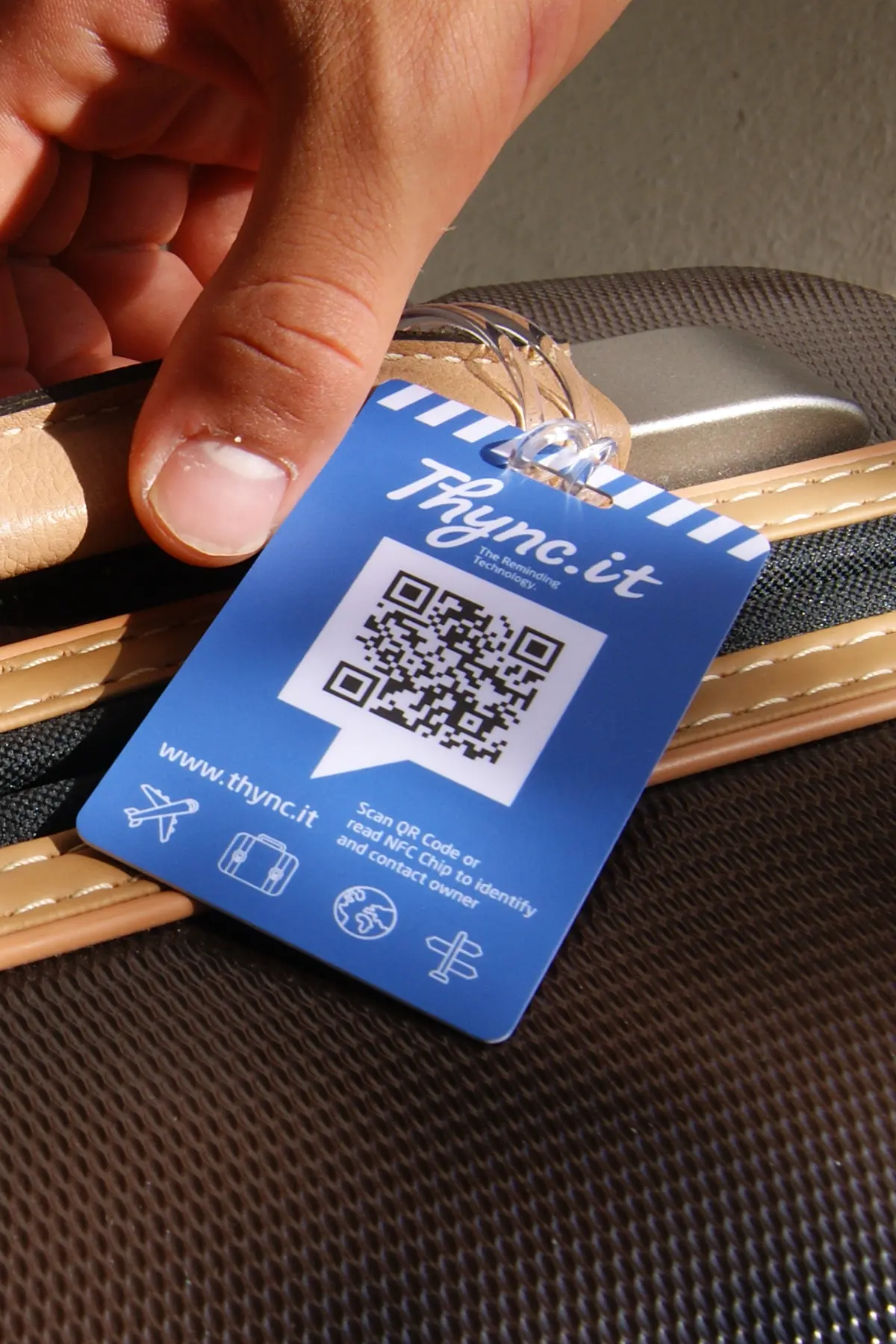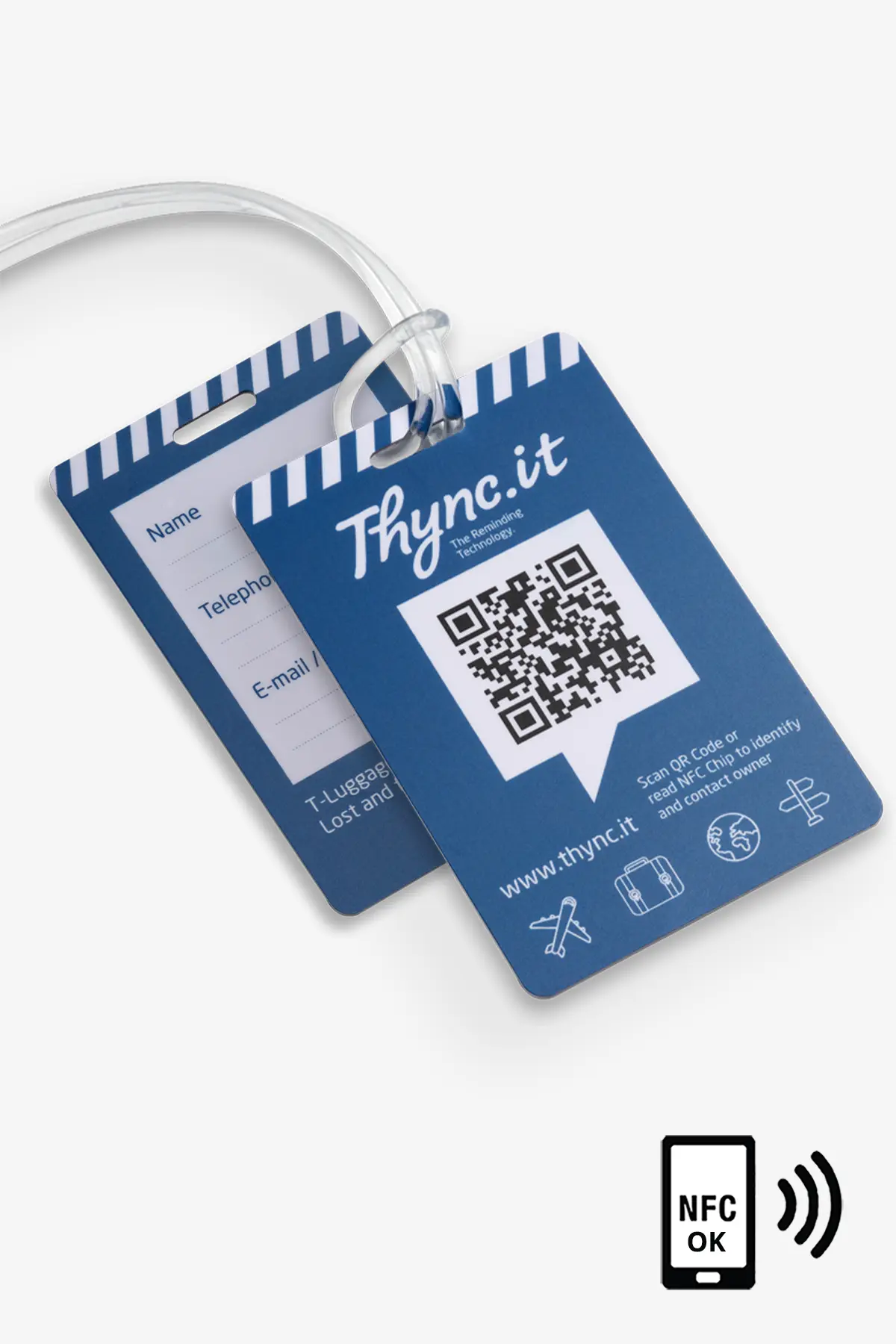
Gepäckanhänger / Luggage Tag mit QR Code und NFC Chip
search
  • Gepäckanhänger / Luggage Tag mit QR Code und NFC Chip
  • Gepäckanhänger / Luggage Tag mit QR Code und NFC Chip
  • Gepäckanhänger / Luggage Tag mit QR Code und NFC Chip
  • Gepäckanhänger / Luggage Tag mit QR Code und NFC Chip
  • Gepäckanhänger / Luggage Tag mit QR Code und NFC Chip

Free shipping from CHF 50.–

We cover packaging and delivery costs for orders over CHF 50.–.

Personal customer support

We answer your questions personally – no automated chatbots.

30-day return policy

You receive a 30-day return or exchange guarantee.

Swiss data platform

Your data is stored securely and reliably in Switzerland.

How it works

Ready in 3 simple steps

Choose and buy your product

Select the right pet tag, colour and variant for your pet.

Scan and activate the QR code

After receiving it, scan the QR code and activate your digital pet ID.

Manage your data in the WebApp

Configure contact and emergency data and update it anytime.

SOS Luggage Tag QR/NFC

CHF 17.11
Free shipping from CHF 50.– Shipping from Swiss warehouse One-time payment No subscription No app required
Package Size: Single Product
Quantity
Verfügbar

⭐ Premium · QR Code + NFC · Double Security

Innovative digital luggage tag with QR code and integrated NFC chip – for maximum travel security. Ideal for business trips, families and frequent travelers. Dual technology ensures reliable identification – even if the QR code is damaged.
Works worldwide with any smartphone.

Double security: QR code + NFC chip for maximum reliability
NFC backup: works even if the QR code is scratched or unreadable
Digital luggage ID: manage your contact details online anytime
Direct contact – no app or registration required
Finder can share their location and notify you instantly
Define meeting points easily via Google Maps
No ongoing costs: no app, no subscription
Swiss data platform: secure and privacy-focused storage

Maximum protection for your luggage.
With QR code and NFC, you are double protected – for reliable recovery worldwide.

QR + NFC

Two technologies for maximum safety

NFC Backup

Works even if QR code is damaged

Digital Luggage ID

Update your contact details anytime

Direct Contact

Instantly reachable worldwide

No App Required

Just scan or tap

Swiss Data Platform

Maximum security and privacy

Digital SOS Luggage Tag with QR Code & NFC

Double Safety for Your Luggage – with QR Code, NFC and Swiss Data Platform

Mark your luggage with a robust SOS luggage tag and make it easier for finders, delivery services or Lost & Found offices to contact you. Your luggage can be identified via the QR code or the integrated NFC chip.

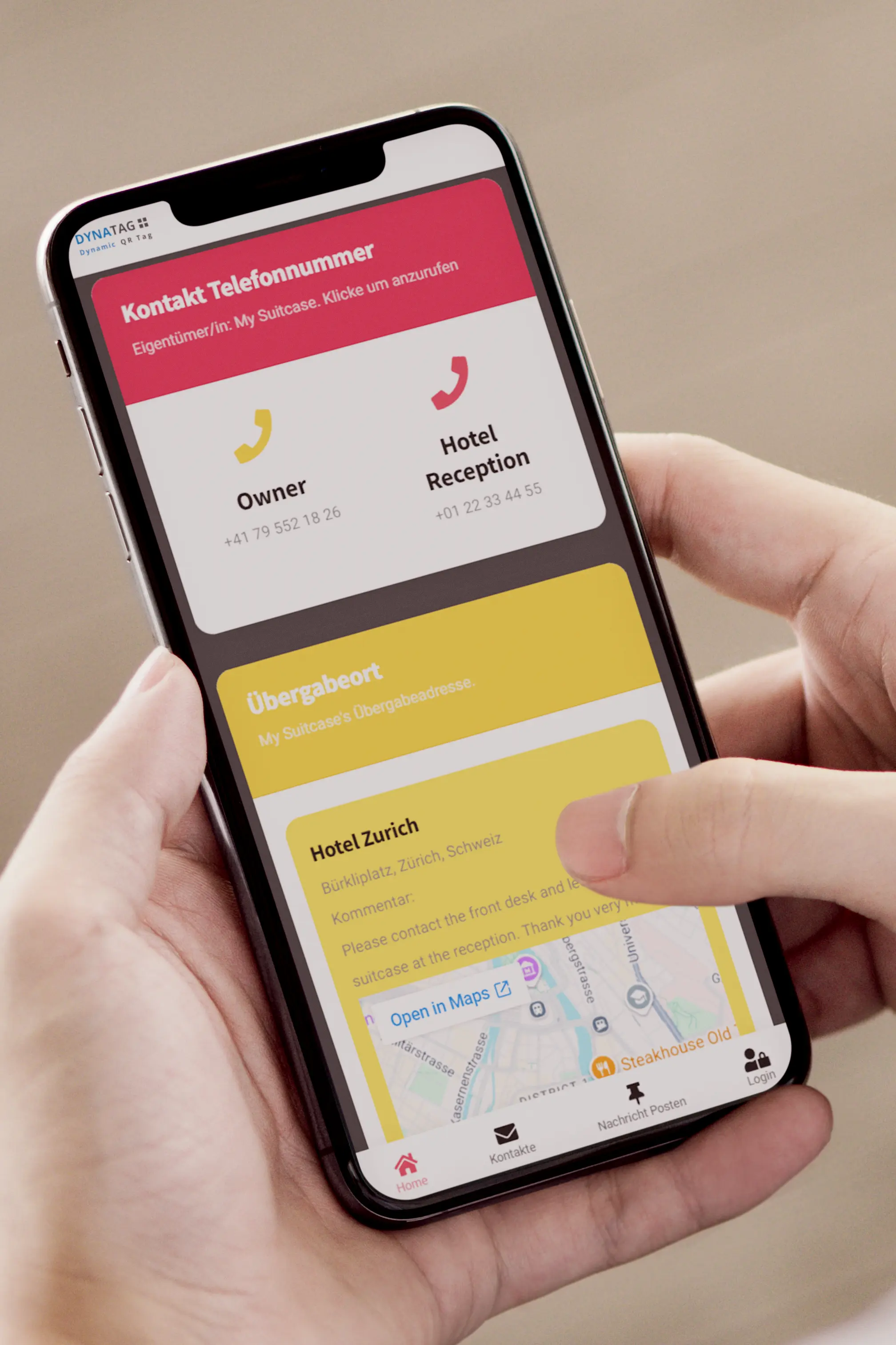
Your preferred delivery address can be updated online at any time and displayed with Google Maps – ideal for language barriers, hotel changes or situations where you do not want to be disturbed directly.

The integrated NFC chip provides additional safety: if the QR code is heavily scratched, dirty or cannot be read with the smartphone camera, the digital luggage page can be opened contactlessly with an NFC-enabled smartphone.

✔ QR code scannable with any smartphone
✔ NFC chip for contactless access to luggage data
✔ Delivery address can be updated online at any time
✔ Google Maps display of the exact handover address
✔ Google Places Autocomplete for easy address entry
✔ Noticeboard for luggage photos and messages
✔ Pocket card for remote access to luggage data
✔ Secure data storage in Switzerland
SOS luggage tag with QR code and NFCDigital luggage tag with QR code NFC and Swiss data platform

Features

  • QR code scannable with any smartphone
  • NFC chip for contactless access to the digital luggage page
  • NFC support as additional safety if the QR code is heavily scratched or dirty
  • Multiple contact phone numbers for fast contact
  • Extended contact information such as address, phone numbers, e-mail or WhatsApp
  • Preferred delivery address can be updated online at any time
  • Google Places Autocomplete for hotels, accommodation, addresses or POIs
  • Exact handover address displayed with Google Maps
  • Display of preferred contact languages
  • Finder location sharing via geolocation possible
  • Automatic e-mail notification with every scan and geolocation transmission
  • All data can be updated at any time via smartphone, tablet or PC
  • Noticeboard for storing luggage photos and messages
  • Practical pocket card for remote access to luggage data
  • Durable plastic loop for attaching to luggage
  • No electronics or batteries required
  • Data storage in Switzerland

Applications

  • Suitcase tag
  • Backpack tag
  • Travel luggage and hand luggage
  • Sports equipment
  • Transport boxes
  • Children’s luggage and school bags
  • Business travel
  • Holidays, round trips and adventure travel
  • Anywhere something needs to be identified quickly

WebApp – directly in the browser

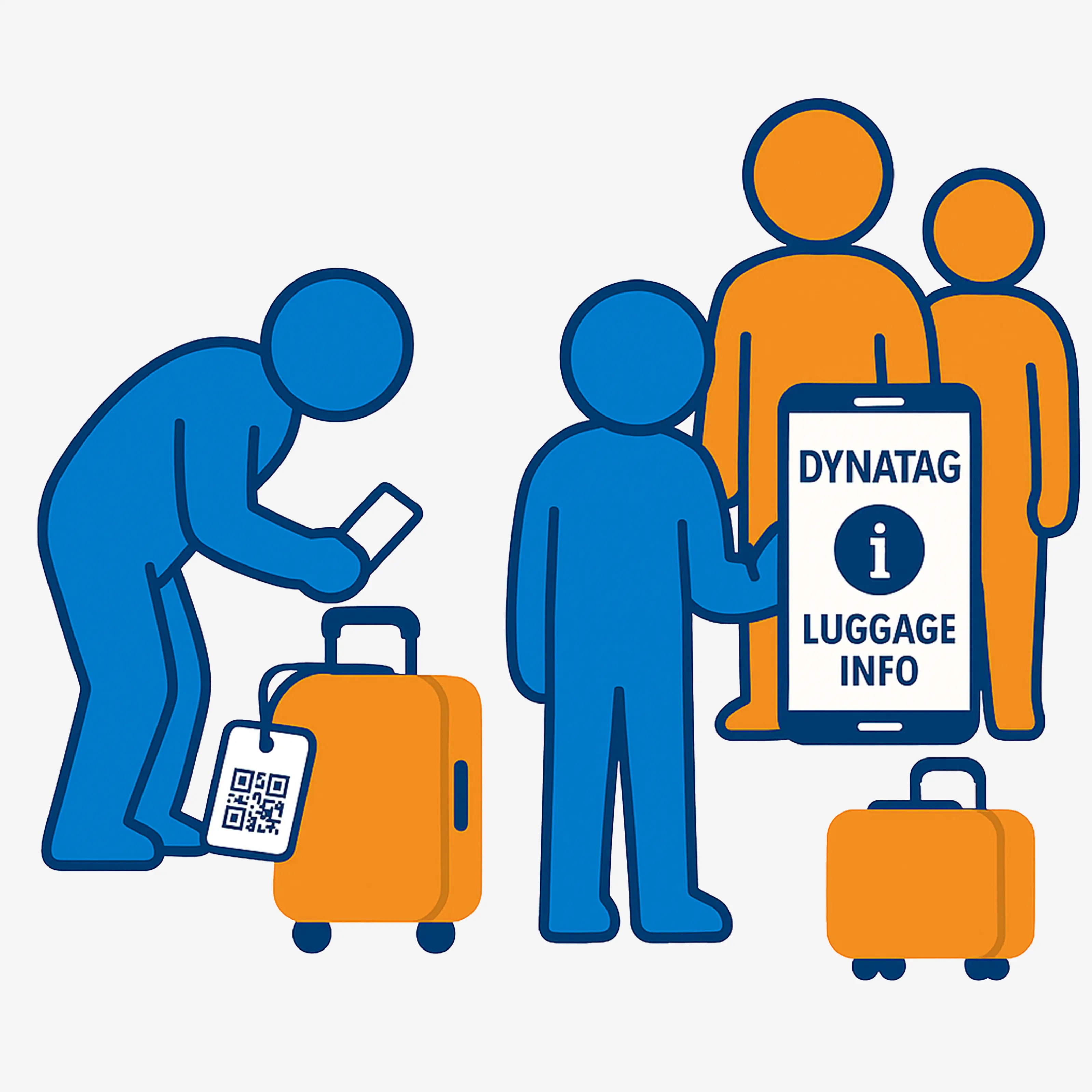
After scanning the QR code or reading the NFC chip, the DynaTag WebApp opens directly in the smartphone browser. No additional app needs to be installed. The finder can view the shared information and contact you using the stored contact options.

You decide which contact details and information should be displayed. Your delivery address, phone numbers, contact languages or notes can be updated online at any time.

Especially useful when travelling: even if your luggage has already been lost, you can conveniently and remotely update your current delivery address – for example your hotel, holiday apartment or business address – via smartphone, tablet or PC.

  • Display contact information clearly
  • Multiple phone numbers and contact methods possible
  • Update delivery address online at any time
  • Google Maps display of the handover address
  • Google Places Autocomplete for easy address entry
  • Display contact languages
  • Noticeboard for photos and messages
  • QR code and NFC access to the same digital luggage page
Test WebApp live
DynaTag WebApp for luggage tag with QR code and NFC

Test QR Code and NFC Live

Scan the QR code and experience how the digital luggage tag function works directly on your smartphone. With NFC-enabled smartphones, the digital luggage page can also be opened contactlessly.

DynaTag luggage tag with NFC QR code example

Digital Luggage View

All shared information is displayed in a mobile-friendly, clear and easy-to-understand way – ideal for finders, Lost & Found, hotels or delivery services.

Digital view of the DynaTag luggage WebApp

NFC Chip for Additional Reliability

The integrated NFC chip complements the QR code and increases reliability in everyday use. If the QR code is heavily scratched, dirty or cannot be read with the smartphone camera, an NFC-enabled smartphone can open the digital luggage page contactlessly.

To do this, the smartphone simply needs to be held near the luggage tag. The smartphone must support NFC and the NFC function must be activated.

  • Contactless opening of the digital luggage page
  • Additional safety if the QR code is damaged
  • Helpful in case of scratches, dirt or poor visibility
  • Works with NFC-enabled smartphones
  • No dedicated app required
  • Robust addition to the QR code
NFC function on the SOS luggage tag with QR code

Google Maps and Easy Address Entry

Thanks to Google Places Autocomplete, entering a delivery address is especially easy. As soon as you start typing an address, hotel, accommodation or place, the WebApp suggests suitable options.

If you do not know the exact hotel address, simply enter the hotel name and city. The address is found automatically and displayed clearly with Google Maps.

  • Find hotels, accommodations and addresses faster
  • Select POIs, shops or places via autocomplete
  • Display the exact handover address with Google Maps
  • Ideal for language barriers
  • Helpful for delivery services, hotels and Lost & Found
Google Maps and delivery address in the luggage tag

Robust Tag with Plastic Loop

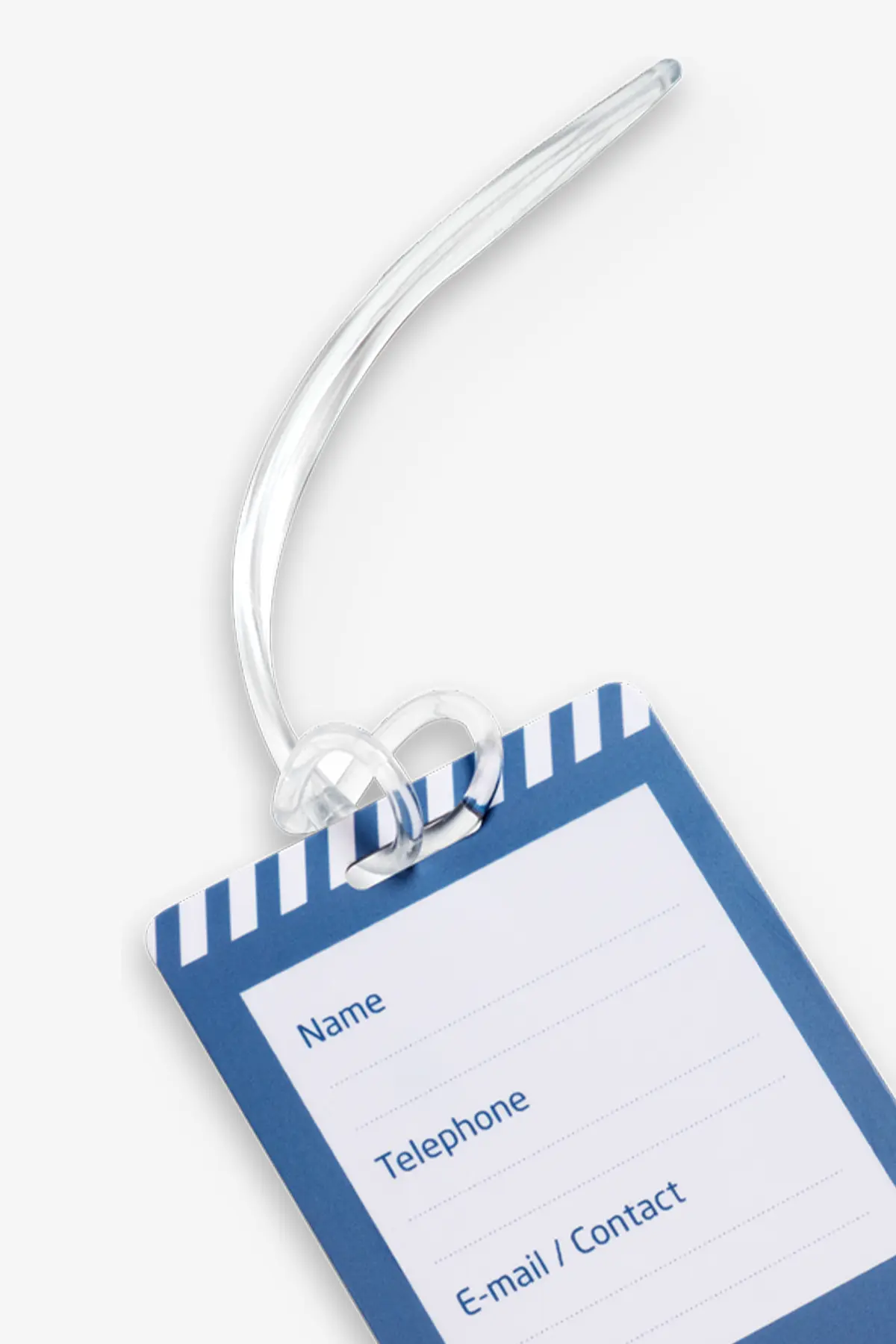
The luggage tag is designed for travel, everyday use and frequent handling. The durable plastic loop makes it easy to attach to suitcases, backpacks, bags, transport boxes or sports equipment.

The tag contains no battery and does not need to be charged. QR code and NFC chip provide access to the secure Swiss DynaTag data platform.

  • Robust luggage tag for everyday use and travel
  • Durable plastic loop
  • Easy to attach to suitcases, bags or backpacks
  • QR code and NFC chip combined
  • No battery, no electronics maintenance and no charging required
  • Data can be updated online at any time
  • Ideal for Lost & Found, hotels, airports and delivery services
Robust SOS luggage tag with QR code NFC and plastic loop

Pocket Card for Remote Access

With the practical pocket card in your wallet, you always have access to your luggage data – even if your luggage is already in transit or missing.

  • Luggage data accessible at any time
  • Change the delivery address remotely
  • Practical for hotel changes or round trips
  • No physical access to the luggage tag required
  • Ideal if the luggage is already missing

Luggage Photos and Noticeboard

Photos of your luggage can be stored via the integrated noticeboard. This makes identification easier for delivery services, hotels, airports or Lost & Found services.

  • Upload luggage photos before each trip
  • Make luggage identification easier
  • Exchange messages with finders
  • Helpful for Lost & Found and delivery services

Product Video

Important: An active internet connection is required to access the digital luggage data and contact information. NFC must be activated on the smartphone to use the NFC function. The SOS luggage tag contains no battery and does not need to be charged.

Product Reviews

Comments (0)

Frequently Asked Questions - FAQ

For more information, visit our blog or follow us on social media.

Why should I use a DynaTag luggage tag?

It helps to quickly identify your luggage and increases the chance that lost items will be returned to you. You can save different contact details, delivery locations (via Google Maps) and preferred languages ​​for contact.

NFC chips can be read contactlessly using a smartphone. If the QR code on the SOS luggage tag is dirty or scratched, it may be difficult to scan. Thanks to the well-protected NFC chip, the data can still be accessed effortlessly.

No, there is no special app needed. All functionality works via a web browser on a smartphone, tablet or computer.

As soon as someone scans the QR code or visits the web address, you will immediately receive an automatic email notification that your tag has been viewed. If the finder gives permission, the location of the scan will also be sent.

No, there are no monthly subscription fees. The one-time purchase of the label includes a lifetime service.

Yes! With your purchase, you’ll receive free access to your personal user account (created during activation). From there, you can update information remotely at any time, upload new images, or modify existing details—easily from your smartphone, tablet, or computer.

You can save various contact details, multiple phone numbers, email address, WhatsApp information, and even a preferred delivery location via Google Maps. You decide which information is visible.

Application & Accessories

User Guide

The online user guide and frequently asked questions for the DynaTag SOS luggage tag with QR code and NFC can be accessed at any time directly via the main menu in the WebApp.

There you will find information about activation, configuration, data management, contact persons, delivery address, Google Places Autocomplete, NFC use, location function and use of the digital noticeboard.

Alternatively, you can open the user guide directly using the following button:

Open User Guide
DynaTag user guide for luggage tag with QR code and NFC in the WebApp

Tip: Open Luggage Data Faster

Make it easier to access your stored luggage data without having to scan the QR code on the tag again each time. Simply save your DynaTag WebApp directly to your smartphone or tablet.

  • Scan the QR code once or use the NFC function
  • Open the WebApp in the browser
  • Add it to your home screen
  • Direct access just like an app
  • Update delivery address and contact details conveniently at any time

Android & Apple

On Android devices, the WebApp can be added to the home screen via the browser menu.

On iPhone and iPad, the WebApp can be saved via the share icon and the “Add to Home Screen” function.

  • No app installation required
  • No repeated searching or scanning needed
  • Fast access to the personal user account
  • Ideal for updating hotel address, delivery address or contact information

Activation and Configuration

The SOS luggage tag with QR code and NFC can be configured with a smartphone in just a few moments. After scanning the QR code or opening it via NFC, the tag can be connected to a personal user account and set up individually.

You decide which contact information, delivery addresses, languages and notes should be visible via QR code or NFC access. All details can be updated online at any time.

  • Scan the QR code or read the NFC chip with a smartphone
  • Open the WebApp in the browser
  • Create a personal user account or log in
  • Add contact information
  • Store the desired delivery address
  • Add contact languages and important notes
  • Upload a luggage photo to the noticeboard
  • Update data at any time via smartphone, tablet or PC
Configure SOS luggage tag with QR code and NFC

Using QR Code and NFC Correctly

The SOS luggage tag offers two ways to open the digital luggage page: via the QR code or contactlessly via the integrated NFC chip.

For the NFC function, the smartphone must support NFC and the NFC function must be activated. Then simply hold the smartphone close to the luggage tag.

  • Scan the QR code with the smartphone camera
  • Alternatively, hold an NFC-enabled smartphone near the tag
  • Activate the NFC function on the smartphone
  • Open the digital luggage page directly in the browser
  • Especially helpful if the QR code is heavily scratched or dirty
  • No additional app required
Using QR code and NFC on the SOS luggage tag

Use While Travelling

The SOS luggage tag is especially practical when your delivery address changes during your trip. You can store a new address at any time – for example a hotel, holiday apartment, business address or next accommodation.

The Google Places Autocomplete function helps you enter the address. As soon as you start typing, suitable hotels, accommodations, streets, cities, shops or places are suggested.

  • Enter your current hotel address
  • Change delivery address flexibly during round trips
  • Use Google Places Autocomplete for easy address entry
  • Display the handover address with Google Maps
  • Show contact languages for finders or delivery services
  • Can be updated online even after luggage has been lost
Update delivery address in the QR NFC luggage tag online

Pocket Card for Travelling

With the pocket card in your wallet, you always have access to your luggage data – even if the luggage tag is already attached to your suitcase or the luggage is in transit.

  • Carry the pocket card in your wallet
  • Scan the QR code on the pocket card
  • Open luggage data directly on your smartphone
  • Update delivery address or contact details
  • Practical for hotel changes, round trips or business travel

Store Luggage Photos

Upload a current photo of your luggage to the noticeboard before each trip. This makes identification easier for airports, hotels, delivery services or Lost & Found services.

  • Upload a photo of your suitcase or backpack
  • Make special features visible
  • Make identification easier in case of loss
  • Recommended before every trip
  • Helpful for Lost & Found and delivery services

Cleaning and Care

Protect the integrated QR code, the NFC chip, the tag surface and the plastic loop from strong mechanical impact such as scratches, bending or heavy abrasion.

If necessary, the luggage tag can be cleaned with a soft, slightly damp cloth. Avoid aggressive cleaning agents, solvents and prolonged contact with chemical substances.

Check the QR code regularly for good readability and also test the NFC function if needed, especially if the tag is frequently used while travelling, at airports or during transport.

Do not bend, cut or clean in the washing machine.

If the QR code still becomes unreadable or the tag is lost, the stored data can be linked again with a suitable replacement product.

Cleaning and care of the SOS luggage tag with QR code and NFC

Accessories and Product Replacement

The SOS luggage tag includes a practical pocket card for your wallet. This allows you to open and update your luggage data at any time, even if the tag itself is not directly accessible.

If the luggage tag is damaged, lost or the QR code is no longer clearly readable, a replacement product with the same QR code can be requested.

  • Pocket card for fast access to luggage data
  • Replacement product with the same QR code possible on request
  • Existing luggage data remains available
  • No need to enter the data again
  • Ideal in case of loss, damage or unreadable QR code
Request Replacement Product

Note about this Variant

This SOS luggage tag contains an individual QR code and an additional NFC chip for access to the digital DynaTag luggage page.

The stored information can be updated at any time via the WebApp. This includes contact details, delivery address, contact languages, notes and luggage photos.

  • QR code: access to the digital DynaTag luggage page
  • NFC chip: contactless access with an NFC-enabled smartphone
  • WebApp: usable directly in the browser without an app
  • Pocket card: access to luggage data even without the tag
  • Attachment: durable plastic loop
  • Data: secure storage on the Swiss DynaTag platform
  • Technology: no battery, no electronics and no charging required

In Case of Loss

When the QR code is scanned or the NFC chip is read with a suitable smartphone, the finder can view the shared information directly in the browser. This helps your luggage be identified faster and delivered to the desired address.

  • Finder scans the QR code or uses NFC
  • Shared contact information is displayed
  • Delivery address can be opened with Google Maps
  • Contact possible by phone, e-mail or WhatsApp
  • Location sharing by the finder possible
  • Use the noticeboard for messages or photos

Important Before Every Trip

To make sure the SOS luggage tag works optimally, the stored data should be checked and updated before every trip.

  • Enter current delivery address
  • Check phone numbers and e-mail
  • Update contact languages
  • Upload luggage photo
  • Check QR code for readability
  • Test NFC function if needed
  • Carry the pocket card in your wallet
Important: An active internet connection is required to access the digital luggage data and contact information. NFC must be activated on the smartphone to use the NFC function. The SOS luggage tag contains no battery and does not need to be charged.
TPCA-0001A1
10 Items

Data sheet

Material
PVC – Polyvinyl Chloride
NFC Chip
Yes
Storage Capacity
10MB
Storage Duration
5 Years
WebApp Typ
sosluggage
Item Number
TPCA-0001A1
EAN Code
4270000462436

Specific References

EAN13
4270000462436
Shipping Information

Fast and reliable shipping with Swiss Post

We ship your order directly from Switzerland with reliable delivery. Shipping costs are automatically calculated during checkout.

🇨🇭

Switzerland & Liechtenstein

Shipping via Swiss Post (A-Post or B-Post). Free delivery for orders over CHF 50.

🚚

Delivery Time

In-stock items are usually processed within 1–2 business days after payment is received.

🌍

International Shipping

International deliveries are handled via Swiss Post. Customs duties, VAT and handling fees are paid by the recipient.

Shipping Costs

B-Post Economy CHF 5.00 under CHF 50
A-Post Premium CHF 9.00 under CHF 50
Free Shipping From CHF 50

Processing & Delivery

In stock:
Processing within 1–2 business days after payment.
Estimated delivery: 2–5 business days (Mon–Fri).

Out of Stock

Out-of-stock items are reordered immediately after purchase. Delivery is usually completed within 30 days.

Order Cut-off Time

Orders placed before 12:00 (CET / Zurich) and paid are usually processed the same business day.

Tracking

For A-Post+ shipments, you will receive a tracking number with your shipping confirmation to track your parcel via Swiss Post.

Address Changes

Please ensure your shipping address is correct during checkout. Changes are only possible before the order has been processed or shipped.

Damaged Parcels

If your parcel arrives visibly damaged, report it immediately upon delivery and contact us within 48 hours with photos.

International Deliveries

For deliveries outside Switzerland and Liechtenstein, additional charges such as customs duties, VAT and handling fees may apply. These costs must be paid directly to the shipping provider.

Questions about shipping?

Our customer service team will be happy to assist you: support@dynatag.com

Personal Customer Service

We’re here to help you quickly and personally

Whether it’s your order, personalization, QR code, WebApp or delivery – our customer service team supports you directly from Switzerland.

💬

Personal Support

We answer your questions quickly, reliably and individually – no anonymous call center.

🚚

Shipping from Switzerland

All products are shipped directly from our Swiss warehouse – no imports, no dropshipping.

🔐

Secure Data Platform

Your DynaTag WebApp and customer data are securely managed on our Swiss-based platform.

Would you like to contact us directly?

Use our contact form for questions about orders, personalization, delivery or QR code / WebApp.

Go to contact form

Correspondence Address

DynaTag AG
c/o Domizilagentur GmbH
Badenerstrasse 580
8048 Zurich
Switzerland

Return Address

DynaTag AG
Attn. Beerli
Chilerai 42a
8602 Wangen b. Dübendorf
Switzerland

Opening Hours

Monday to Friday: 09:00 – 18:00
Central European Time (Zurich)